Conversion
Instant Quote Forms for Cleaning Companies: What to Ask and What to Cut
Every extra field on a cleaning quote form costs you finished submissions. Here is the shortest set of questions that still sizes a job accurately.
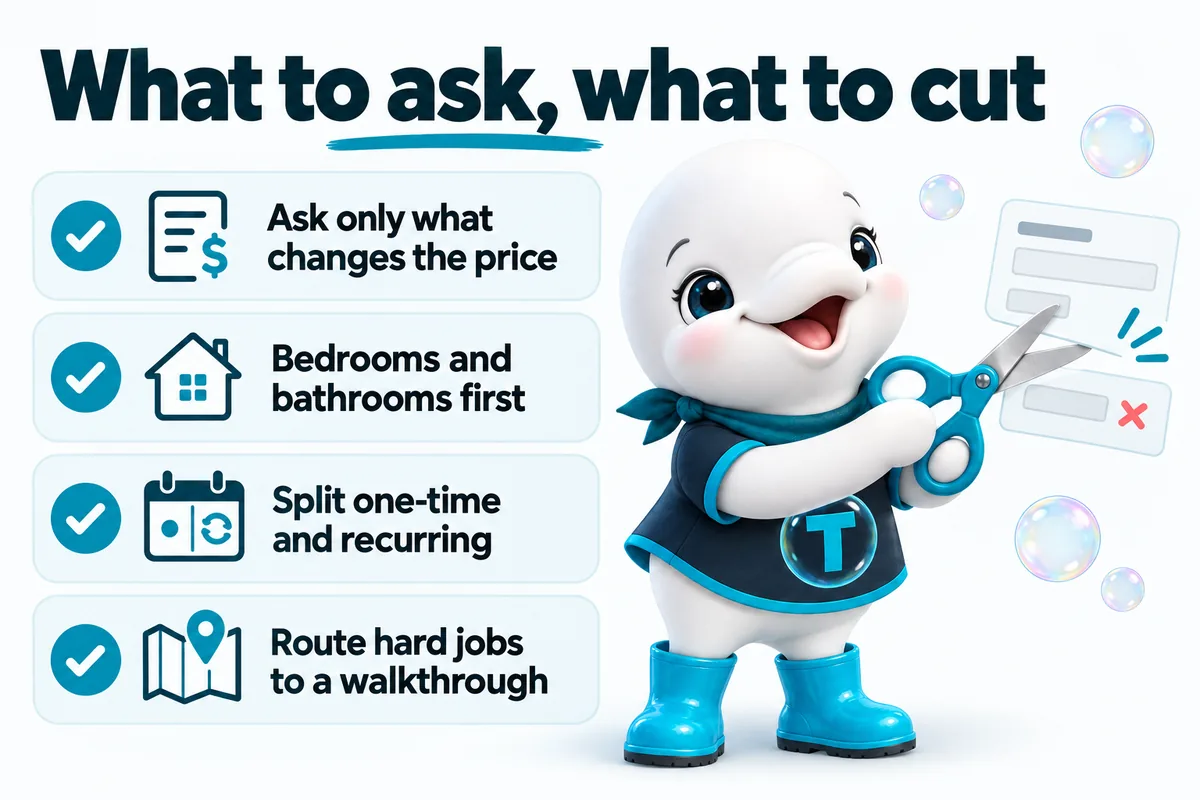
A quote form on a cleaning company website has one job: collect the smallest set of answers that lets someone price the work accurately, and then get out of the way. The direct answer to what that set is, for most residential cleaning: job type, property size, frequency, add-ons, timing and a way to reach the person. Everything beyond those six categories should have to argue for its place, because every additional field is another chance for a visitor on a phone to decide this is taking too long.
The instinct that produces long forms is understandable. More information means a better quote and fewer surprises on the day. The problem is that the information only helps if the form is finished, and the fields that feel most thorough to the owner are usually the ones the visitor cannot answer quickly. A form asking for square footage, a preferred crew, a referral source and a message box is not more thorough than a short one. It just collects fewer answers.
What a quote form actually has to do
A quote form has to turn an anonymous visitor into a job with a number attached, in one sitting, without a phone call. That is the whole brief. It is not a qualification interview, it is not a survey, and it is not the place to gather the marketing data someone would like to have.
This matters because the two goals pull against each other. Every field added improves the quote slightly and reduces the number of finished submissions. The only fields worth that trade are the ones where the answer moves the price or decides whether the job can be scheduled. Everything else is paid for in lost jobs, and that cost is invisible because nobody counts the visitors who started a form and left.
The six questions that size almost any cleaning job
Six categories of answer are enough to price most residential cleaning work, and most of them can be tapped rather than typed.
Job type. Recurring house cleaning, a one-time deep clean, move-in and move-out, post-construction, or commercial and janitorial. This is the first question because it determines what the rest of the form should even ask. A move-out job needs to know whether the unit is empty. A recurring job needs to know how often. Asking those questions of the wrong visitor is how forms get long.
Property size. Bedrooms and bathrooms, selected from a short list, not square footage typed into a box. Most people do not know their square footage and will either guess badly or leave to find out. Bedroom and bathroom counts are known instantly and track the labor of a job closely enough to quote from. For commercial work the equivalent is floors, restrooms and approximate footprint, which a facilities contact does know.
Frequency. Weekly, every two weeks, monthly, or one time only. Frequency changes the price per visit more than almost anything else on the form, so it deserves its own question rather than being inferred from job type.
Add-ons. Inside the oven, inside the refrigerator, interior windows, carpet and upholstery cleaning, a finished basement, a garage, laundry. A checklist of add-ons does two jobs at once: it makes the quote more accurate, and it tells the visitor what the standard scope of work does not include, which prevents a dispute at the door later.
Timing. A preferred date or a rough window, plus any hard deadline. A move-out visitor with a Thursday walkthrough is a different lead from someone thinking about starting a recurring service next month, and the form should be able to tell them apart without a phone call.
Access and contact. Name, phone, email, and the property address or at least the town. Access details, a lockbox, a key handover or someone being home, only need asking where they affect scheduling.
What these six have in common: each one changes either the number or the calendar.
| Field | What it changes |
|---|---|
| Job type | Which questions the rest of the form asks |
| Bedrooms and bathrooms | The labor estimate and the crew size |
| Frequency | Price per visit and customer value |
| Add-ons | Scope of work, and what is excluded by default |
| Timing | Whether the job can be scheduled at all |
| Town or address | Whether it falls inside the service area |
What to cut, and why each cut is safe
Cut every field whose answer would not change what happens next. In practice, on cleaning company quote forms, that is a predictable list.
- Square footage. Replaced by bedroom and bathroom count for residential work, for the reasons above.
- “How did you hear about us?” This is analytics data collected at the most expensive possible moment. Put it in the post-booking confirmation or ask on the first visit.
- An open message box, on the first screen. It looks friendly and it is a blank page on a phone keyboard. If it earns a place at all, it goes last, clearly optional, and after the price has been shown.
- Preferred crew or preferred cleaner. A new visitor has no basis to answer this. It belongs in the account of an existing recurring customer.
- Budget. Asking the visitor to name a number before you name yours reverses the transaction and reads as a negotiation, not a quote.
- Company name, on a residential form. Splitting residential and commercial paths handles this better than a field most visitors leave blank.
- Anything asked twice. A town field plus a full address field plus a zip field is three questions doing one job.
Cutting these is safe because none of them produce a different price. The counter-argument is that the data helps the sales follow-up, which is often true. It is simply cheaper to gather it in the conversation after a finished submission than to risk the submission itself. A short form plus a quick call beats a long form that gets abandoned and no call at all.
Why “call for a quote” loses the mobile visitor
“Call for a quote” works only for the subset of visitors who are ready to talk to a stranger, during business hours, right now. That is a much smaller group than most owners expect, and it skews away from exactly the customers a growing cleaning company wants.
Consider when people actually shop for cleaning. Evenings after the kids are down, weekends, a lunch break, the night before a lease ends. A phone-only path tells those visitors to come back later, and later almost never happens, because other companies in the same search results took the information there and then. The same goes for anyone who prefers not to call: parents with a baby asleep, people in open-plan offices, anyone who wants a number before a conversation.
There is a real objection worth taking seriously. Owners often say phone leads convert better, and they are usually right, because the people willing to call were already the most committed. But that measures who survived the filter, not whether the filter is good. A form does not replace the phone. It captures the people who would never have picked it up, and hands the company a callback with the job already sized. An instant quote tool and a phone number on the same page serve two different buyers rather than competing.
Conditional questions, not one long form
Show the questions a given job actually needs, and hide the rest until they become relevant. This is the single change that makes a thorough form feel short.
Nielsen Norman Group describes this pattern as progressive disclosure: present the core options first, and reveal secondary detail only when a user’s choice makes it relevant. On a cleaning quote form the first answer, job type, does almost all of the branching work. A recurring residential job asks for frequency, a start date and whether someone is home. A move-out job asks whether the unit is empty, when the keys are due, and how the crew gets in, and never asks about frequency at all. A commercial or janitorial job asks about floors, restrooms, nightly or weekly service and after-hours access, and never asks about bedrooms.
The visitor answers a handful of questions instead of facing every field on the form, while the company receives an answer set specific to the work. Build the branches around how the business actually quotes rather than a generic template, because the branch points are where the money is. For a move-in and move-out specialist, whether the unit is empty and whether carpet cleaning is included are the two answers that decide the price, so those belong on the first screen rather than behind a “more options” link.
One warning on conditional logic: keep the number of steps honest. A form that hides its length behind a long run of sequential screens is not shorter, and visitors notice. Either show progress clearly, or keep the whole thing on one screen with sections that appear as they become relevant.
Jobs that genuinely cannot be priced online
Route jobs that cannot be priced from a form into a walkthrough, and say so plainly on the form itself. Some work genuinely depends on conditions nobody can see from a website.
Post-construction cleanup is the clearest example, because the amount of drywall dust, adhesive residue and debris varies enormously between jobs that look identical on paper. Hoarding and heavy-soil situations are another, as are large janitorial contracts sold on a scope of work and a schedule rather than a rate card. Trying to return an instant number on these produces one of two bad outcomes: a quote that gets revised upward on arrival, which costs trust, or a quote the company has to honor at a loss.
The honest handling is a branch. When the visitor selects one of these job types, the form stops estimating and switches to scheduling: capture the job type, the site address, the timeline, the contact, and any detail that helps the estimator prepare, then state clearly that this work is quoted after a site visit and offer a time. That beats a dead end, because the visitor gets a definite next step rather than a promise that someone will be in touch. Sending them to the contact page instead is a weaker version of the same idea, and should be the exception.
Where the submission should land
A submission should land somewhere with an owner and a response clock, not in a shared inbox that nobody reads after five. The form is only as good as what happens in the hour after it is completed.
The practical minimum is that a submission arrives by email and by text at the same time, with all the answers in the body rather than behind a link. An owner or dispatcher standing in a driveway between jobs can quote from a text message. They cannot log into a dashboard, and by the time they get back to a laptop the lead has filled in two more forms. If the company runs a CRM or field service platform, the form should write into it directly so the lead has a record, an owner and a next action from the moment it arrives.
Two details matter alongside it. The visitor should see a real confirmation, ideally with the range and a summary of what they asked for, not a bare thank-you. And the confirmation page is the right moment for the questions that were cut from the form, including how they heard about the company, because the conversion has already happened. A quote tool built into the site rather than bolted on, as the features page describes, is mostly about this: answers landing somewhere useful instead of being retyped.
Accessibility and mobile requirements for the form itself
A quote form has to work with a keyboard, a screen reader and a thumb, because a form that fails any of those is not a harder form for some visitors, it is no form at all. These are also the requirements most often broken by drag-and-drop form builders.
Labels, never placeholders alone
Every field needs a real, visible label that is programmatically associated with its input. The W3C’s guidance on labeling controls sets out the mechanics, and WCAG’s Labels or Instructions criterion makes it a baseline requirement rather than a nicety. A correctly associated label also enlarges the tap target, since tapping the label focuses the field.
Placeholder text is not a label. Nielsen Norman Group has documented that placeholders used as labels are harmful: the text disappears the moment someone starts typing, which removes the instruction exactly when it is needed, and grey placeholder text often fails contrast requirements. Use both if you like, a visible label plus a placeholder showing format, but never the placeholder alone.
Input types, tap targets and error handling
Set the right input type on every field so phones present the right keyboard. A telephone field should bring up a number pad, an email field the keyboard with the at sign, and a date field the native date picker. This costs nothing and removes friction from every mobile submission.
Make the controls big enough to hit. WCAG 2.2 sets a minimum target size of 24 by 24 CSS pixels in its Target Size (Minimum) criterion, and comfortable thumb targets on a real form are usually larger than that floor. Radio buttons and checkboxes are the usual offenders, especially in an add-ons list.
Handle errors in place and in words. An error should name the field, say what is wrong and say what would be right, next to the input rather than in a banner at the top. Never clear the whole form on a failed submission, which is the fastest way to lose a visitor who did everything right except mistype a phone number.
Speed belongs in this section too. Research collected on web.dev has consistently found that slower pages lose more visitors before they interact at all, and a quote form loaded by a heavy third-party script is the worst place on the site to spend that budget. The form should be usable the moment the page is visible, not after a spinner.
The order the questions go in
Put the easiest and most reassuring question first, and the contact details last. The order of a form changes its completion rate as much as its length does.
Starting with job type works because it is a single tap and it visibly personalizes everything that follows. Starting with a phone number field works against you, because it asks for the thing the visitor is protective of before they have received anything. By the time contact details appear, the visitor has invested several answers and, ideally, seen an estimate range, so the exchange feels fair.
Between those two ends, group questions the way a person thinks about their home rather than the way a pricing engine consumes them: the property, then the work, then the schedule. Nobody should have to switch context twice in a row, which is what happens when a form asks for bedrooms, then a date, then bathrooms.
How to tell the form is losing people
Watch the gap between people who start the form and people who finish it, then look at which field the leavers reached. A form that is quietly failing looks fine from the outside, because the submissions that do arrive look perfectly normal.
Three checks are worth running periodically. Fill in the form on a phone, on mobile data, as a stranger would, and count how often you have to type rather than tap. Ask recent customers what nearly stopped them. And check whether requests arrive outside business hours, because a form that only produces submissions during the working day is usually one the evening visitors could not finish.
It is also worth checking that the form is reachable from the pages where intent is highest. A quote tool that only exists on a dedicated quote page is doing a fraction of its possible work. It belongs on the service pages, on the service area pages where a visitor has just confirmed the company covers their town, and near the pricing information rather than only in the navigation.
A starting template to adapt
The shape below works for most residential cleaning companies and is a reasonable place to start before adapting it to how a specific business quotes:
- What kind of cleaning do you need? Buttons, not a dropdown. This drives every branch that follows.
- How many bedrooms? and How many bathrooms? Short selectable ranges.
- How often? Only shown for recurring work.
- Anything extra? A checklist of add-ons with prices or price effects shown where possible.
- When do you need it? A date or window, with a hard-deadline option for move-out work.
- Your estimate. Shown before contact details are requested, as a clearly labelled range.
- Where should we send it? Name, phone, email, town or address.
- Anything we should know? Optional, last, and genuinely optional.
The principle underneath that order is worth more than the specific fields: ask what changes the number, show the number, then ask how to reach them. What a company charges and what it includes is its own decision, and the pricing page explains how the site build and the quote tool are packaged on our side, but the structure of the form is the part that either collects those jobs or quietly loses them.
Sources
- W3C Web Accessibility Initiative: Labeling Controls
- W3C: Understanding Success Criterion 3.3.2, Labels or Instructions
- W3C: Understanding Success Criterion 2.5.8, Target Size (Minimum)
- Nielsen Norman Group: Progressive Disclosure
- Nielsen Norman Group: Placeholders in Form Fields Are Harmful
- web.dev: Why speed matters
Frequently asked questions
How many fields should a cleaning company quote form have?
As few as genuinely change the price, which for most residential work means job type, property size, frequency, add-ons, timing and contact details. Anything that does not change the number or the schedule belongs in the follow-up conversation, not the form. The useful test is to take each field in turn and ask what you would do differently with the answer. If the honest answer is nothing, cut it.
Should the form show a price or just collect a lead?
Show something, even if it is a range rather than a firm figure. A visitor who submits a form and sees only a thank-you page has to wait to learn the one thing they came for, and waiting is where they go back to the search results and fill in a competitor's form too. A clearly labelled estimate range, with the conditions that could change it, beats silence and beats a number you cannot hold.
Is it better to ask for square footage or bedroom and bathroom count?
Bedroom and bathroom count, in almost every case. Most homeowners and renters do not know their square footage without looking it up, and a field that sends the visitor away to find an answer is a field that ends the session. Bedrooms and bathrooms are known instantly, map closely to the labor a job takes, and can be selected rather than typed, which matters most on a phone.
Where should quote submissions land?
Somewhere with an owner and a response clock, not a shared inbox nobody checks after five. The practical minimum is the submission arriving by email and text at once, with the full answers in the body so whoever picks it up can quote from their phone without opening a dashboard. If the company runs a CRM or field service software, the form should write into it directly so the lead has a record and a next action from the start.
What about jobs that genuinely cannot be priced online?
Route them to a walkthrough instead of forcing a number the company cannot hold. Post-construction cleanup, hoarding situations, large janitorial contracts and anything sold on a scope of work all depend on conditions a form cannot see. The form should still do useful work: capture the job type, the site, the timeline and the contact, then say plainly that this kind of work is quoted after a site visit and offer a time.
Want a site like the one described here? Book a demo with GetCleaningWebsite.